
EXISTING CLIENT HELP DESK: 1-800-674-0947
GET STARTED NOW: 1-800-674-0947
Apex Computer Works

Online Printer Setup, Maintenance & Hardware Repair Services

Struggling with persistent printer offline errors, Wi-Fi pairing drops, paper feed jams, or faint print quality? Apex Computer Works provides fast, transparent, and professional printer repair and network integration solutions for home offices and commercial businesses.

CALL FOR ASSISTANCE: 1-800-674-0947

Comprehensive Printer Repair & Configuration Services

Whether you operate a single desktop wireless inkjet or manage a fleet of office multifunction laser printers, our experienced technicians deliver full-spectrum hardware and software solutions to keep your printing environment running smoothly.

Wireless & Network Setup

Establishing dependable network connectivity across all your workspace devices so printing remains fast and hassle-free.

  • Wi-Fi router pairing & static IP assignment
  • Multi-device setup (Windows, Mac, iOS, Android)
  • Local network print server configuration
  • Wireless connection drop-out resolution
  • Secure firewall and port rule adjustments

Hardware Repair & Component Fixes

Diagnosing and replacing damaged mechanical parts to extend the operational lifespan of your printing equipment.

  • Paper jam extraction & pickup roller replacements
  • Power board and main logic board repairs
  • Paper tray mechanism adjustments
  • Gear train replacement & lubrication
  • Scanner bed alignment

Driver & Spooler Optimization

Solving software conflicts between your operating system and printer drivers to prevent workflow interruptions.

  • Resolving persistent Printer Offline status
  • Clearing stuck print spooler job queues
  • Installing Windows & Mac drivers
  • Fixing corrupted print settings
  • Firmware troubleshooting

Print Quality Calibration

Restoring crisp text clarity, vibrant image rendering, and accurate color output.

  • Cleaning clogged ink nozzles
  • Fixing horizontal lines and banding
  • Cartridge recognition troubleshooting
  • Duplex unit alignment
  • Color calibration

Routine Servicing & Cleaning

Preventative physical cleaning to remove internal dust and paper fragments before failures occur.

  • Internal roller cleaning
  • Paper path inspection
  • Toner dust cleaning
  • Preventative wear inspection
  • Office maintenance support

Office Infrastructure Deployment

Designing scalable printing setups for growing teams and offices.

  • Shared network printer deployment
  • User access configuration
  • Secure printing setup
  • Scanner-to-email configuration
  • Network folder setup

Hardware & Setup Service Showcase

Visual highlights of printer hardware, maintenance, and office printing environments.
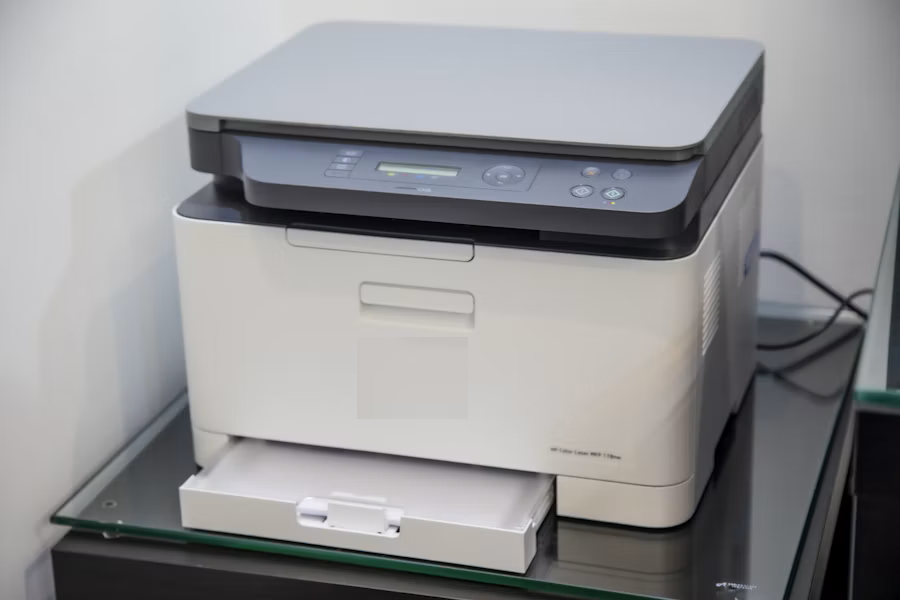
Desktop printer
Desktop Printer Repair & Setup
Office printer equipment
Office Printer Maintenance
Commercial office equipment
Commercial Printer Servicing

In-Depth Printer Troubleshooting Guide

Explore common diagnostic workflows for printer connectivity, paper jams, and print quality issues.

1. Resolving Persistent "Printer Offline" Errors

A Printer Offline message typically indicates a communication break between your computer and printer.

  1. Perform a Power Cycle: Turn off the printer and restart your computer and network equipment.
  2. Verify Printer Settings: Confirm that the printer is selected as the default device.
  3. Clear the Print Queue: Remove stuck print jobs and restart the printing service if necessary.
  4. Check Network Connectivity: Confirm that the printer and computer are connected to the correct network.

2. Safely Clearing Paper Jams

Paper jams can occur because of worn rollers, damaged paper, debris, or incorrectly loaded media.

  1. Turn the printer off before attempting to remove stuck paper.
  2. Pull paper slowly in the normal direction of the paper path.
  3. Inspect rollers and access doors for small paper fragments.
  4. Use clean and dry paper suitable for your printer.

3. Fixing Faded Prints, Missing Colors & Banding

Poor print quality may result from clogged ink nozzles, low toner, or cartridge and printhead issues.

  1. Run the printer's built-in cleaning or maintenance utility.
  2. Inspect ink or toner levels.
  3. Print a test page to identify missing colors or alignment problems.
  4. Contact a technician if the issue continues after maintenance.

Need Immediate Technician Support?

If troubleshooting hasn't resolved your issue, our team can assist with hardware problems, printer setup, and network connectivity.

CALL NOW: 1-800-674-0947

Our Transparent 5-Step Service Process

Straightforward diagnostics, communication, and service support.

1

Initial Consultation

Tell us about your printer and the issue you are experiencing.

2

Inspection

We identify possible hardware, setup, or connectivity issues.

3

Service Review

Available service options are discussed before proceeding.

4

Expert Service

Hardware maintenance or setup is completed as required.

5

Final Test

Printer operation and connectivity are tested after service.

Multi-Brand Out-Of-Warranty Hardware Servicing

Apex Computer Works provides independent support for a variety of printer hardware.

Independent Hardware Expertise

Our technicians work with desktop printers, office laser printers, multifunction equipment, and other printing hardware. Brand names including HP, Canon, Epson, Brother, Lexmark, Xerox, Ricoh, and Kyocera are referenced strictly for identification and compatibility purposes.

Why Businesses & Homeowners Choose Us

Clear Communication

Straightforward information about service requirements and options.

Local Service Options

Support options for homes, offices, and local businesses.

Technical Experience

Experience with printer hardware, connectivity, and computer setup.

Fast Assistance

Helping customers troubleshoot and resolve printer problems.

Frequently Asked Questions

Answers to common questions regarding independent printer support and maintenance.

Q: Are you an official service center for printer manufacturers?

A: No. Apex Computer Works is an independent service provider and is not an authorized warranty center for printer manufacturers.

Q: Can you help connect my printer to a new Wi-Fi network?

A: Yes. We can assist with printer network configuration and device connectivity troubleshooting.

Q: Why does my computer show Driver Unavailable?

A: Driver issues may occur after operating system updates or configuration changes. We can help diagnose software and connectivity issues.

Q: Do you help with paper jams?

A: We can assist with diagnosing recurring paper jams and possible paper feed or roller problems.

Q: Do you support office printers?

A: Yes. We provide assistance with office printer setup, connectivity, shared printing, and troubleshooting.

Let's Talk About Your Technology

•••••

Tell us about your printer issue and one of our experts will get back to you regarding your inquiry.

By clicking SUBMIT, you agree to receive messages regarding your inquiry.